Claire Stranack
← Back to selected work

Case Study

Markel Internal Design System

Creating a scalable component library and design foundation to modernise Markel’s internal product ecosystem.

At a glance

The problem

Internal applications varied widely in UI patterns, usability, visual language and code conventions, creating inconsistency and growing UX debt.

The work

I led the design and front-end architecture of a reusable Angular and Bootstrap design system, covering foundations, components, documentation and governance.

The outcome

The system became the foundation for new internal applications and redesigns, improving consistency, delivery speed and scalability across Markel products.

Role

Design system owner

Company

Markel

Stack

Angular, Bootstrap, SCSS

Focus

Enterprise product ecosystem

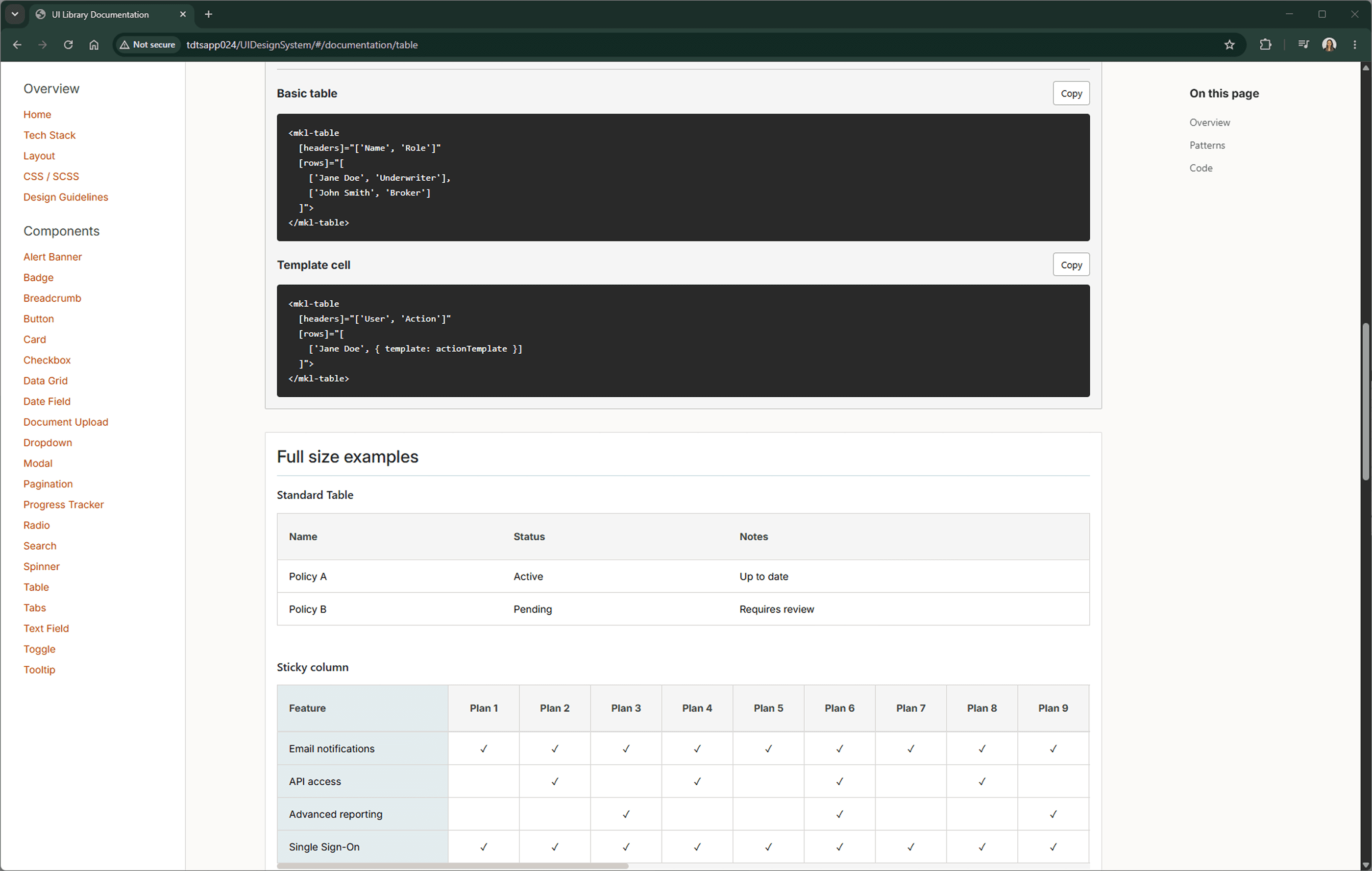
Design system component index grouped by display and feedback, form inputs, navigation, and data tables.

Design system structure

Organising components by product use case

Components were grouped into categories such as feedback, forms, navigation and data-heavy table patterns to help teams find and apply them consistently.

Context

Overview

When I joined Markel, internal applications varied widely across visual design, usability, UI patterns and code conventions. Teams were often rebuilding similar components from scratch, which created duplicated effort, inconsistent experiences and growing design and technical debt.

As part of a broader initiative to modernise internal tools, I led the creation of a scalable design system for use across the business. The system defines both the visual foundation and reusable front-end component architecture for future Markel products.

Problem

The Challenge

Markel’s internal products support complex, data-heavy workflows, particularly across underwriting and operational tools. These interfaces need to handle dense information, validation, filtering, multi-step flows, status indicators, batch actions and contextual menus.

Without shared standards, teams approached these problems differently. This led to visual inconsistency, duplicated code, slower onboarding for developers and a less predictable experience for users moving between internal applications.

Process

1

Define foundations

Established shared principles for colour, typography, spacing, accessibility, iconography and interaction behaviour across internal products.

2

Build reusable components

Designed and implemented core Angular and Bootstrap components, supported by a custom SCSS token library for consistent styling.

3

Document usage patterns

Created documentation covering component behaviour, code examples, accessibility notes, usage guidance, limitations and anti-patterns.

4

Create governance and feedback loops

Established a contribution model so teams could request enhancements, validate needs and adopt components with clearer release guidance.

Key Decisions

Decision

Prioritise data-heavy components early

Why

Many Markel applications rely on dense operational data, so components like grids, filters, badges and contextual menus would have the biggest immediate value.

Impact

Helped teams support complex workflows more consistently while reducing the need to rebuild common interface patterns from scratch.

Decision

Build the system in the same stack used by delivery teams

Why

The design system needed to be practical for real implementation, not just a Figma library disconnected from engineering workflows.

Impact

Made adoption easier by providing reusable Angular, Bootstrap and SCSS patterns that developers could integrate directly into applications.

Decision

Create documentation for both usage and contribution

Why

A design system only scales if teams understand when to use components, how they behave and how to request changes safely.

Impact

Improved consistency, reduced ambiguity and created a more sustainable model for evolving the system over time.

Decision

Design for evolution rather than a fixed library

Why

Markel’s internal tools will continue to grow, especially through initiatives such as One Workflow and future analytics capabilities.

Impact

Created a foundation that can expand into new components, layout templates, notifications and cross-application behaviours.

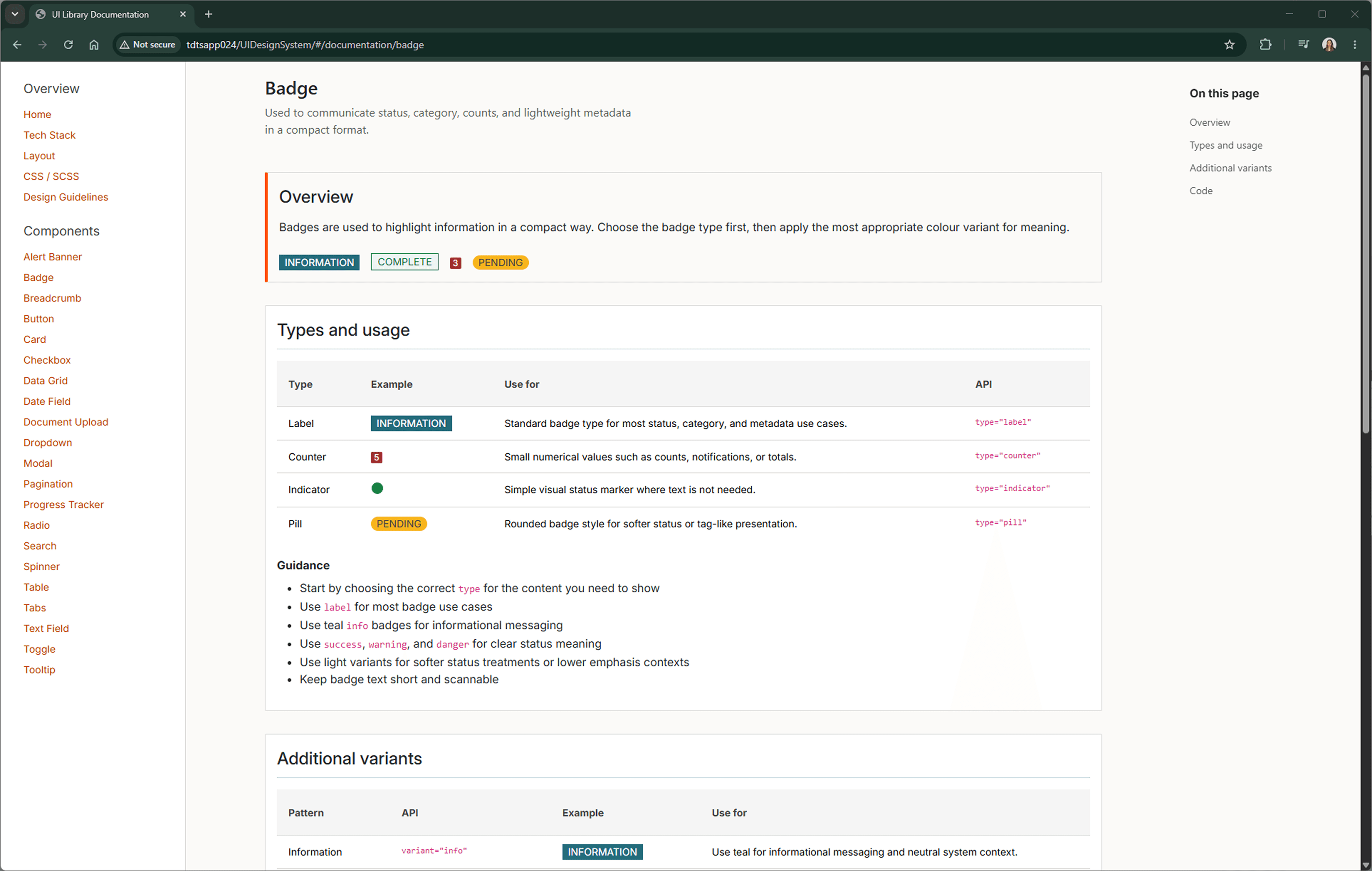
Badge component documentation showing text label badges, square badges and pill badge variants.

Component variants

Badge variants for status, labels and counters

Badge documentation covered multiple variants including text labels, square counters and pill badges, helping teams apply consistent status and notification patterns across internal applications.

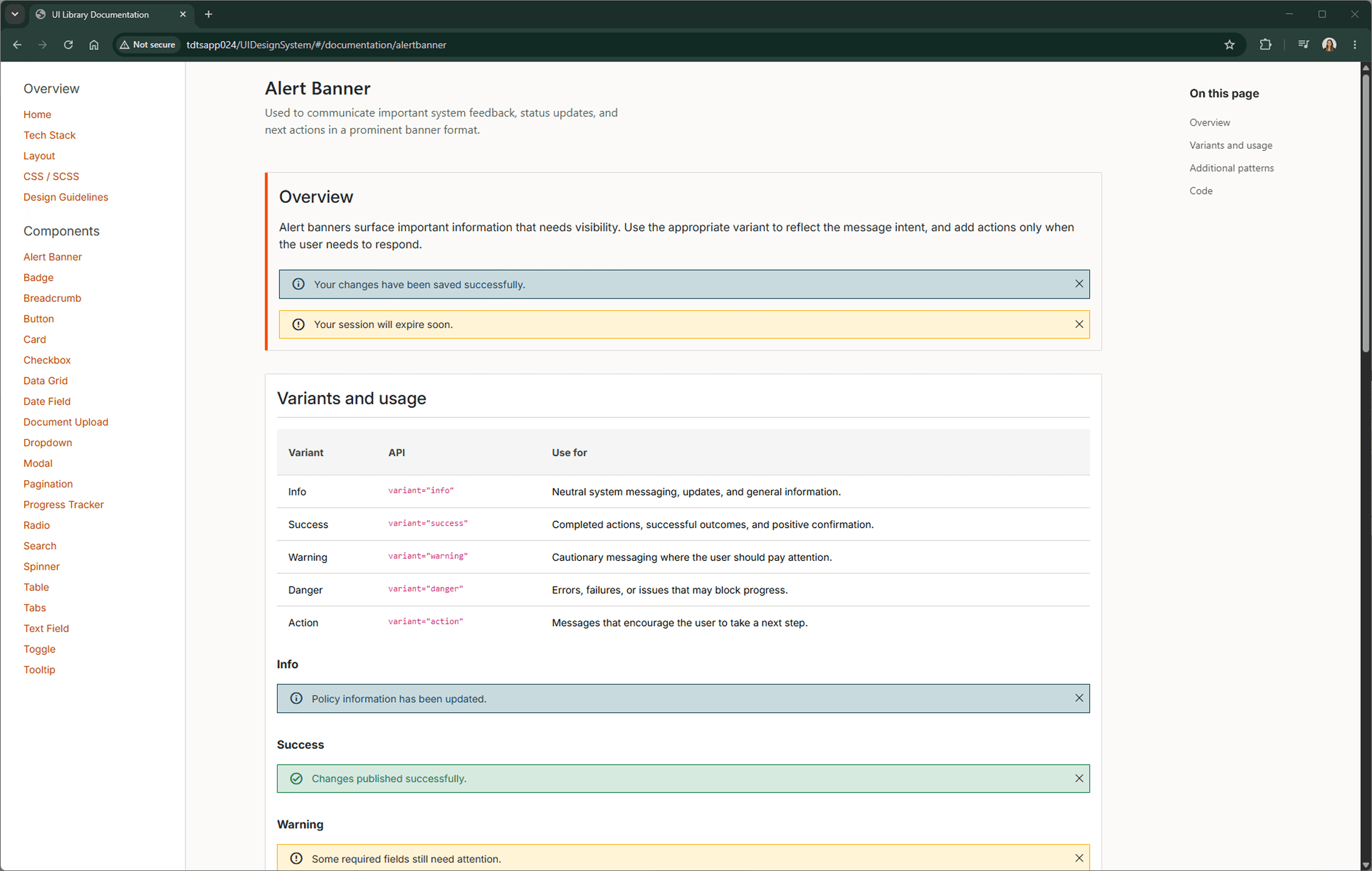
Alert banner documentation showing variations with primary actions, secondary actions and close behaviour.

Interaction patterns

Alert banner variations with actions and close behaviour

Alert banner documentation covered different combinations of actions, close behaviour and usage patterns to support consistent feedback across internal applications.

Design & build

Component System

The design system includes foundations and reusable components for the patterns most commonly needed across Markel’s internal tools. This includes form controls, navigation patterns, buttons, status badges and complex table interactions.

One of the most important components is the data grid, designed to support server-side async loading, configurable columns, validation, conditional formatting, sorting, filtering, pagination, multi-select and row or cell-level actions.

Scaling adoption

Governance

To keep the system stable and trustworthy, I established documentation and contribution guidance covering component usage, accessibility, code examples, release notes and known limitations.

Teams can request enhancements or new components, which are reviewed against user need, technical feasibility and wider product consistency before being added to the system.

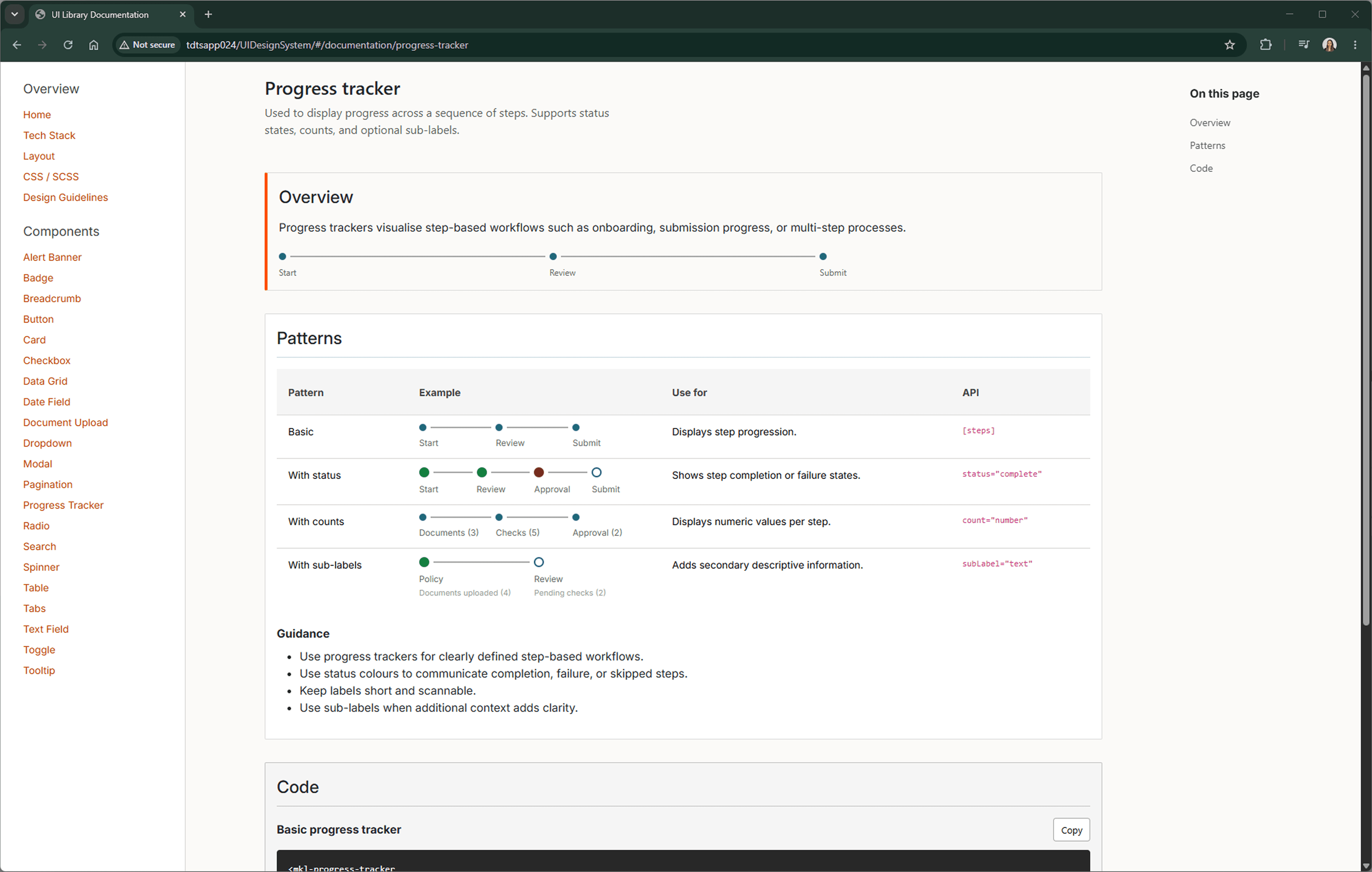
Progress tracker component documentation showing multiple steps and sub-step labels.

Workflow component

Progress tracker designed for complex multi-step processes

The progress tracker component was documented with support for multiple steps and optional sub-step labels, helping teams apply a consistent pattern across longer enterprise workflows.

Outcome

Impact

  • Created a shared visual and functional language for Markel internal applications.
  • Reduced duplicated component work by giving teams reusable Angular and Bootstrap patterns.
  • Improved consistency across data-heavy enterprise workflows.
  • Established documentation, governance and contribution processes for future scalability.
  • Provided a foundation for new applications and redesigns, including ongoing One Workflow transformation work.

Learning

Reflection

This project has been a valuable opportunity to combine my UX design and front-end development experience. The most important lesson has been that a design system is not just a collection of components — it is a shared product that needs governance, documentation, adoption and continuous improvement.

It has also reinforced how powerful a design system can be in complex enterprise environments, where consistency, accessibility and delivery speed all have a direct impact on the quality of internal tools.